Create Isosurface
Create isosurfaces from a NoiseModelling resulting table and its associated TRIANGLES table.
Overview
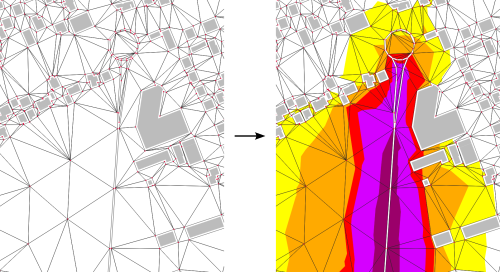
➡️ Create isosurfaces from a NoiseModelling resulting table and its associated TRIANGLES table. 🚨 The triangle table must have been created using the “Receivers/Delaunay_Grid” WPS block. ✅ The output table is called CONTOURING_NOISE_MAP
Arguments
Mandatory inputs
resultTable— Sound levels tableName of the sound levels table, generated from the “Noise_level_from_source” WPS block. (STRING) Example : RECEIVERS_LEVEL
Type:
String
Optional inputs
isoClass— Iso levels in dBSeparation of sound levels for isosurfaces. The first range is from -∞ to the first value (excluded). The next range is from the first value (included) to the next value (excluded). Read this documentation for more information about sound levels classes.
Type:
StringDefault:
35.0,40.0,45.0,50.0,55.0,60.0,65.0,70.0,75.0,80.0,200.0keepTriangles— Keep trianglesPoint inside areas with the same iso levels are kept so elevation variation into same iso level areas will be preserved but the output data size will be higher. Keeping triangles will reduce significantly the computation time.
Type:
BooleanDefault:
falseresultTableField— Field of result tableField to read in the result table to make the iso surface.
Type:
StringDefault:
LAEQsmoothCoefficient— Polygon smoothing coefficientThis coefficient (Bezier curve coefficient) will smooth the generated isosurfaces. If equal to 0, it disables the smoothing step and will keep the altitude of final polygons (3D geojson can be viewed on https://kepler.gl).Use this option with keepTriangles to keep the altitude variation into same iso level areas.
Type:
DoubleDefault:
0
Output
result— Output tableName of the output table containing the isosurfaces. The table is created in the same schema as the input result table. (STRING)
Type:
String